Finding orders with rules
Go to WooCommerce > Orders and click Advanced filters. The panel has two parts: Order contents, where you build rules about the products in the order and Order details, for status, dates and the customer.
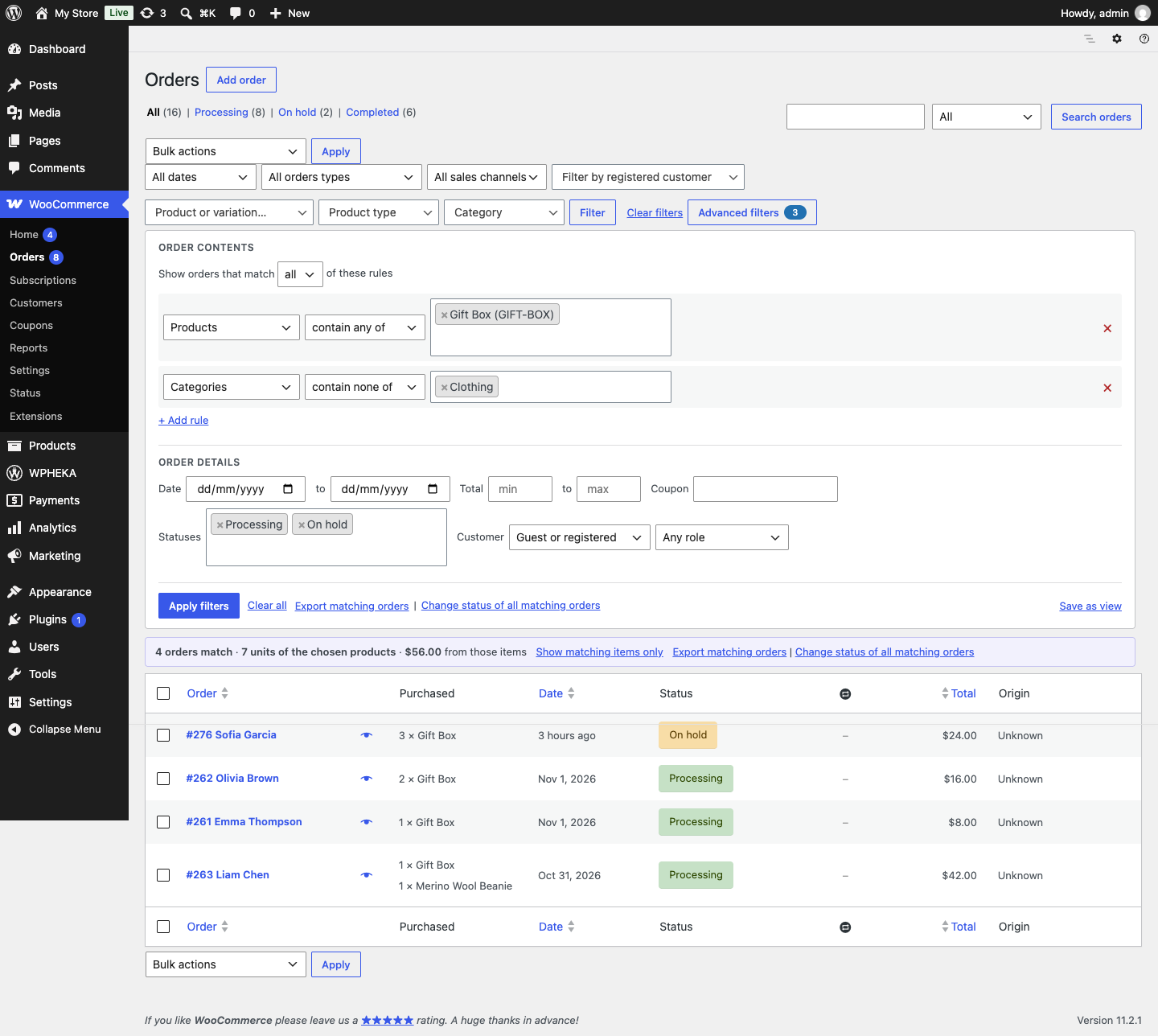
The example above shows orders that contain the Gift Box, have nothing from the Clothing category and are Processing or On hold.
Build a rule
- Under Order contents, click + Add rule.
- Pick what the rule looks at:
| Field | Values |
|---|---|
| Products | Products or single variations, searched by name |
| Categories | Product categories |
| Tags | Product tags |
| Brands | WooCommerce brands |
| SKU starts with | The first characters of a SKU, such as HOOD- |
| Attribute | Attribute values such as Size: L, across every product |
| Quantity of products | How many units of the chosen products the order holds |
| Items in the order | How many items the order holds in total |
- Pick how it matches:
| Match | Shows orders where |
|---|---|
| contain any of | at least one of the chosen values is in the order |
| contain all of | every chosen value is in the order |
| contain only | nothing else is in the order |
| contain none of | none of the chosen values is in the order |
For the two quantity fields, choose at least, at most or exactly and a number, for example "3 or more of this product".
- Choose the values.
- Add more rules if you need them. Under Show orders that match, choose all of these rules or any of them.
- Click Apply filters.
The Advanced filters button shows how many filters are on. The panel stays open while any of them is set.
Rules work together with the free plugin's filters, the status tabs and the search box. Clear all removes the rules and the order details; it keeps the status tab you are on, the free plugin's filters and the search box.
Examples
| You want | Rule |
|---|---|
| Orders to pack that hold only the gift box | Products, contain only, Gift Box. Statuses: Processing |
| Every order with size L, whatever the product | Attribute, contain any of, Size: L |
| Orders with the hoodie but no socks | Products, contain any of, Classic Hoodie. Add rule: Products, contain none of, Wool Socks |
| Large wholesale orders | Items in the order, at least, 10. Customer role: Wholesale |
Narrow by order details
Under Order details you can also filter by:
- several Statuses at once;
- a Date range;
- an order Total range;
- a Coupon code;
- Customer: guests or registered customers;
- Customer role.
Read the summary
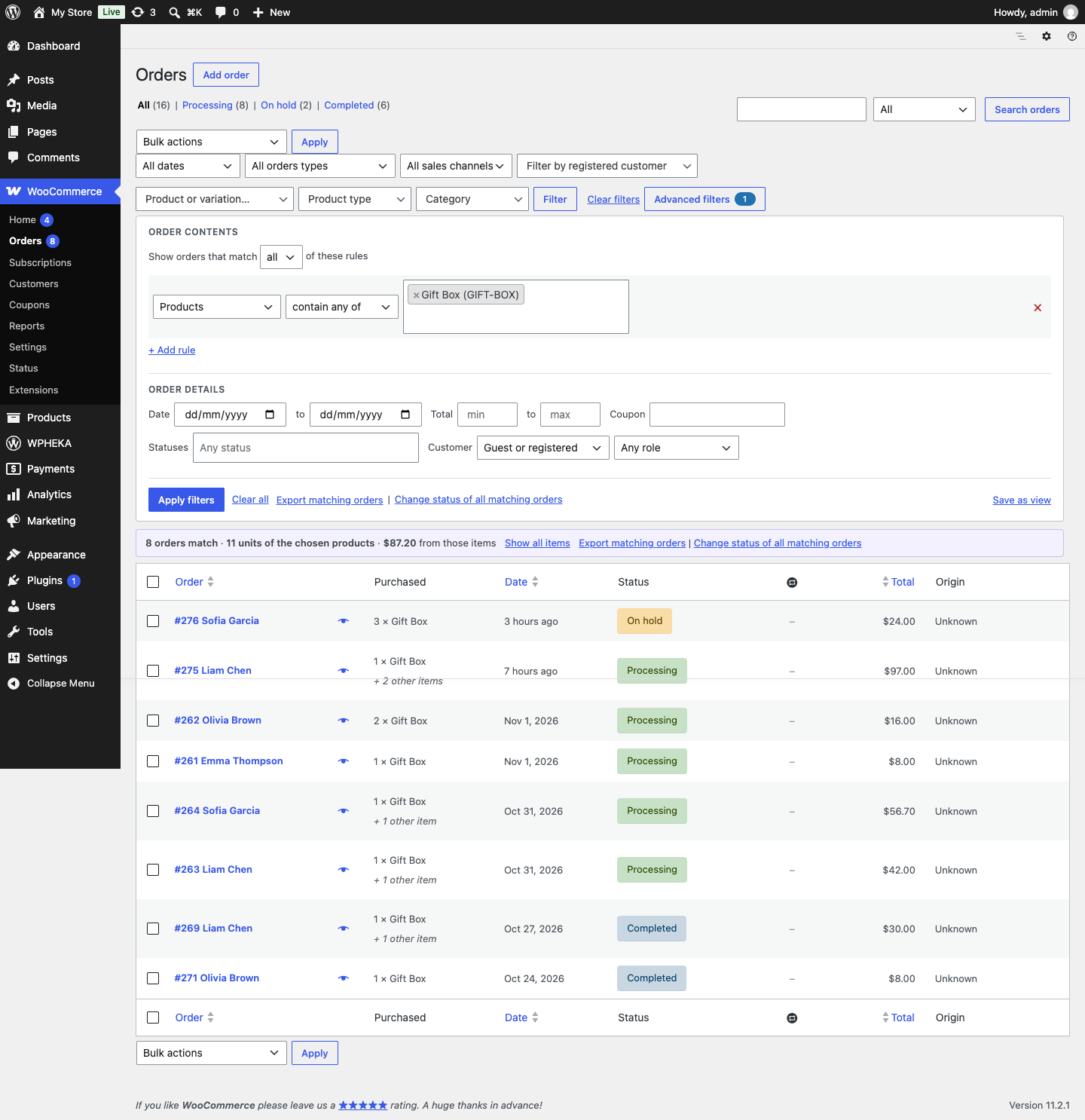
When a rule names products, a line above the list shows how many orders match, the units of the chosen products in them and what those items are worth. The numbers cover every page of the list, not only the one on screen.
The summary uses WooCommerce Analytics' order data. On a store whose Analytics history has not been imported, it reads the orders themselves for up to 5,000 orders. Above that it shows the order count and a link to Analytics > Settings, where you can import historical data.
Show only the matching items
In the summary line, click Show matching items only. The Purchased column then lists only the items that matched your rules, so the list works as a pick list. Show all items switches back.
Subscriptions
With WooCommerce Subscriptions active, the Advanced filters panel also appears on the Subscriptions list, with the same rules. Saved views, export and bulk status change work on the orders list only.