Exporting orders to CSV
Export downloads every order that matches your filters as a CSV file, across every page of the list.
- Filter the orders list.
- Click Export matching orders, in the panel or in the summary line.
- Choose One row per order or One row per matching item.
- Click Export CSV.
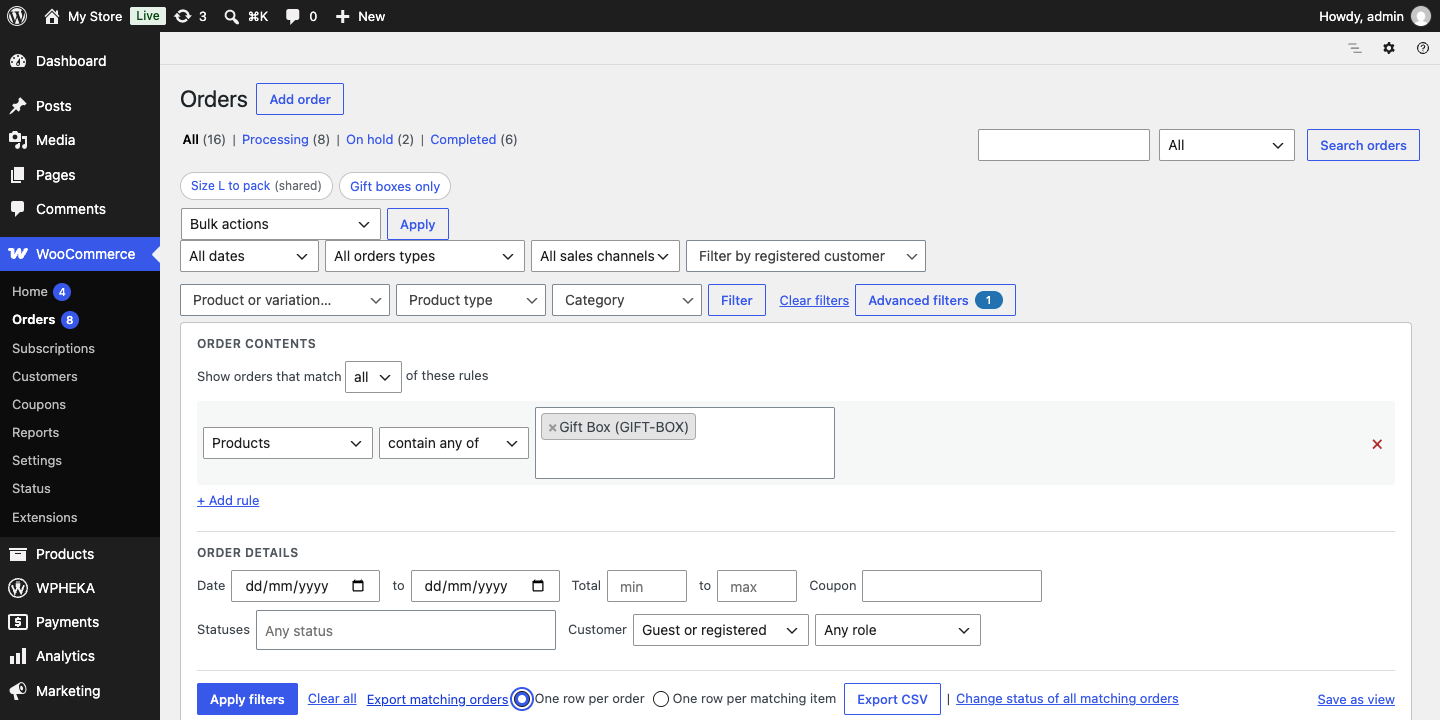
One row per matching item lists only the items that matched your rules, which suits a picking or supplier list.
Large exports
Up to 500 orders download straight away. Larger exports run in the background: a notice on the orders screen shows the progress, then offers Download the CSV. You can leave the page while it runs.
Where the files are kept
Files are saved in wp-content/uploads/wc-search-orders-by-product-pro/exports under random names and removed after a day. Downloads go through WordPress with a permission check.
On Apache an .htaccess file closes the folder to direct access. On nginx, add a rule that denies access to that folder.
When export is not offered
Export uses this plugin's filters only. While WooCommerce's search box, the month filter, the registered customer filter or the sales channel filter is in use or in the Trash, the export link is replaced by a note. Clear those and it comes back.